Beyond NAS: Building a Future-Proof ZFS Home Lab Server
There is a distinct point in every self-hosting journey where the pre-packaged consumer NAS starts to feel like a cage. Perhaps you ran out of drive bays, or maybe the underpowered ARM processor choked trying to transcode a 4K Plex stream while running a couple of background Docker containers.
When I reached this bottleneck, I knew I didn’t just want a slightly bigger network-attached storage box. I wanted an enterprise-grade, future-proof home lab server capable of handling compute workloads, virtual machines, and—most importantly—absolute data integrity.
That quest led me straight to ZFS (Zettabyte File System). ZFS isn’t just a filesystem; it’s a logical volume manager and a fortress for your data. In this post, I’ll walk you through why ZFS is the gold standard for home labs, how to choose the right hardware to support it, and how to configure it for real-world self-hosted services.
1. Why ZFS? The Antidote to Silent Data Corruption
Traditional storage setups—like hardware RAID or standard Linux software RAID (mdadm) combined with ext4 or XFS—have served us well for decades. However, they suffer from a major architectural blind spot: they cannot detect or repair silent data corruption (often called “bit rot”).
Bit rot occurs when magnetic media degrades, cosmic rays flip a bit on a platter, or a transient power fluctuation writes garbage data. Traditional filesystems assume that if the drive says a read was successful, the data is correct. ZFS assumes nothing.
End-to-End Data Integrity and Self-Healing
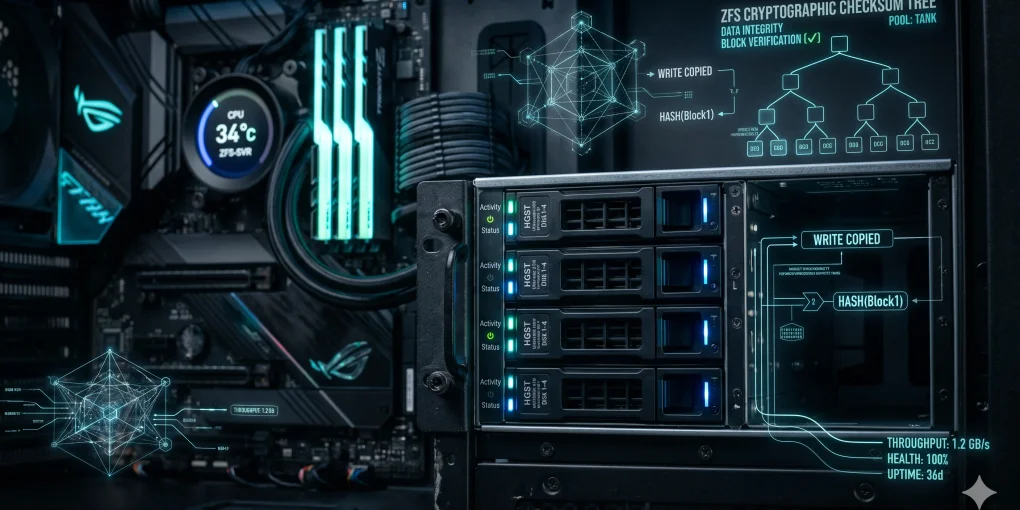
ZFS uses a tree of cryptographic checksums (Merkle trees) to verify the integrity of your data. Every block of data is written along with its checksum. When you read a file, ZFS recalculates the checksum and compares it to the stored value.
If there is a mismatch, ZFS doesn’t just throw an I/O error. If you are running a redundant topology (like a mirror or RAIDZ), ZFS fetches the correct data from the redundant block, delivers it to your application, and automatically overwrites the corrupted block on the bad drive with the correct data. This is self-healing in action.
       [ Client Requesting File ]
                  │
                  ▼
       [ ZFS Checksum Engine ] ──(Checksum Mismatch!)──┐
                  │                                    │
                  ▼                                    ▼
       [ Read Corrupted Block ]             [ Fetch Redundant Block ]
                  │                                    │
                  ✕ (Discard)                          ▼
                                            [ Repair Corrupted Block ]
                                                       │
                                                       ▼
                                            [ Deliver Clean Data ]
Instant Snapshots and Clones
ZFS is a Copy-on-Write (CoW) filesystem. When you modify a file, ZFS doesn’t overwrite the existing block in place; instead, it writes the changes to a new block and updates the pointers.
Because of this CoW architecture, taking a snapshot in ZFS is instantaneous. Whether your dataset is 10 Gigabytes or 10 Terabytes, a snapshot takes less than a millisecond because it merely freezes the pointers to the existing blocks. This is a game-changer for home labs:
- Want to upgrade your Nextcloud container? Take a snapshot first.
- If the upgrade breaks the database, rollback is instantaneous.
- Want to experiment with a risky configuration on a VM? Clone its dataset in a second, experiment, and destroy the clone when you’re done.
2. Hardware Choices: Building for Stability
ZFS is incredibly powerful, but it shifted the responsibility of storage controller intelligence from dedicated hardware chips to your system’s CPU and RAM. To build a reliable ZFS machine, your hardware choices must reflect this.
The CPU: Crypto and Compression
ZFS performs inline compression (usually LZ4 or ZSTD) and checksumming on the fly. Fortunately, modern x86 processors are absolute beasts. You don’t need a 64-core EPYC processor; a consumer Intel Core i5/i7 (especially with QuickSync for media transcoding) or an AMD Ryzen 5/7 is more than enough. Just ensure your CPU supports AES-NI instruction sets to offload encryption workloads if you plan to encrypt your datasets.
ECC RAM: Is It Truly Mandatory?
There is a persistent myth in the home lab community that using non-ECC (Error-Correcting Code) RAM with ZFS will instantly eat your data.
Let’s demystify this: ZFS does not require ECC RAM any more than ext4 or NTFS does. If a RAM stick goes bad on any system, data in memory can get corrupted before it is written to disk. However, because ZFS caches heavily in RAM using the Adaptive Replacement Cache (ARC), having reliable memory is highly recommended.
- My Recommendation: If you are building a server from scratch and your budget allows, choose a CPU and motherboard that support ECC DDR4/DDR5. If you are repurposing an old consumer desktop, go ahead and use non-ECC RAM—just make sure to run a thorough Memtest86+ pass before putting live data on it. Aim for a minimum of 16GB, though 32GB or 64GB is the sweet spot if you plan on running multiple VMs.
HBAs (Host Bus Adapters) vs. SATA Port Multipliers
Never, under any circumstances, use a hardware RAID controller in RAID mode with ZFS. ZFS must have direct, raw access to the physical drives to manage power state, read SMART data, and handle write barriers.
If you run out of SATA ports on your motherboard, do not buy cheap PCIe SATA expansion cards (which often use unstable JMicron or ASMedia controller chips). Instead, buy an enterprise LSI HBA card flashed to “IT Mode” (Initiator Target mode).
Avoid:   [ Motherboard ] ──> [ RAID Controller ] ──(Abstracted Virtual Disk)──> [ Drives ]
Correct: [ Motherboard ] ──> [ LSI HBA (IT Mode) ] ──(Raw Direct Access)──────> [ Drives ]
Popular choices include:
- LSI 9211-8i (SAS2, 6Gbps - perfect for mechanical hard drives)
- LSI 9300-8i (SAS3, 12Gbps - better for high-density setups or SSDs)
These cards are readily available on eBay pre-flashed to IT Mode for under $2.
3. Practical Setup: Configuring ZFS for the Home Lab
Once your hardware is assembled and you’ve installed your OS (I highly recommend Proxmox VE, or TrueNAS Scale), it’s time to configure your ZFS pools and datasets.
Creating the Pool: Mirrors vs. RAIDZ
The first decision is choosing your pool layout.
- RAIDZ1/RAIDZ2 (similar to RAID 5/6): Best for bulk media storage (movies, music, backups). It maximizes capacity but suffers from lower random write performance (IOPS).
- Mirrored VDEVs (similar to RAID 10): Best for databases, virtual machines, and Docker appdata. It provides fast read/write speeds, fast “resilver” (rebuild) times, and is easily expandable by adding pairs of drives.
ZFS Storage Pool Estimator
Let’s assume we have four 4TB drives and want a mirrored layout for high performance:
# Create a high-performance mirrored pool named 'tank'
sudo zpool create -f \
  -o ashift=12 \
  -O compression=lz4 \
  -O atime=off \
  tank \
  mirror /dev/disk/by-id/wwn-drive1 /dev/disk/by-id/wwn-drive2 \
  mirror /dev/disk/by-id/wwn-drive3 /dev/disk/by-id/wwn-drive4
Note on flags:
ashift=12: Forces 4KB sector alignment (essential for modern Advanced Format mechanical drives and SSDs to prevent performance degradation).compression=lz4: Virtually free compression. It actually improves performance because reading compressed data from disk and decompressing it in CPU is faster than reading uncompressed data from slow spinning platters.atime=off: Prevents ZFS from updating the “access time” metadata every time a file is read, saving precious write cycles.
Organizing with Datasets
One of the biggest mistakes beginners make is putting all their files directly into the root of the pool. Instead, you should create separate datasets (think of them as smart folders with their own custom properties).
# Create parent datasets
sudo zfs create tank/data
sudo zfs create tank/apps

# Create specific datasets with custom optimizations
sudo zfs create -o recordsize=1M tank/data/media
sudo zfs create -o recordsize=16k tank/apps/postgrestank/data/media: Setting therecordsizeto 1MB is highly optimized for sequential access of large files like 4K video files, reducing fragmentation.tank/apps/postgres: Databases perform small, random reads and writes. Matching therecordsizeto the database block size (16KB for PostgreSQL) prevents write amplification.
Integrating with Docker and VMs
To hook your containers up to ZFS, map your Docker persistent volumes directly to your optimized datasets in your docker-compose.yml:
version: '3.8'
services:
  nextcloud:
    image: nextcloud:latest
    volumes:
      # Data stored on the bulk media dataset
      - /tank/data/nextcloud:/var/www/html/data
      # Configs on the high-IOPS apps dataset
      - /tank/apps/nextcloud-config:/var/www/html/config
    ports:
      - 8080:80
    restart: unless-stopped
If you are running Proxmox, you can store your VM virtual disks as zvols (ZFS block devices). ZFS allows Proxmox to take atomic, zero-latency snapshots of active virtual machines before you perform system updates, providing an unmatched safety net.
Conclusion: The Peace of Mind Factor
Building a ZFS-based home lab server is a rite of passage for self-hosters. It forces you to think like a systems administrator, to understand storage geometry, and to design with failure in mind.
But the real reward comes after the build is finished. When you hear a drive clicking ominously or receive an alert that a checksum error was detected and silently corrected, you realize the value of your effort. Your media collection is safe, your databases are intact, and your VM backups are a single command away from restoration.
If you are still running your home services on an old ext4 drive or a hardware RAID array, it’s time to plan your upgrade. Your future self—and your data—will thank you.