The Agent-First Revolution: Google Antigravity IDE vs. Cursor vs. Claude Code
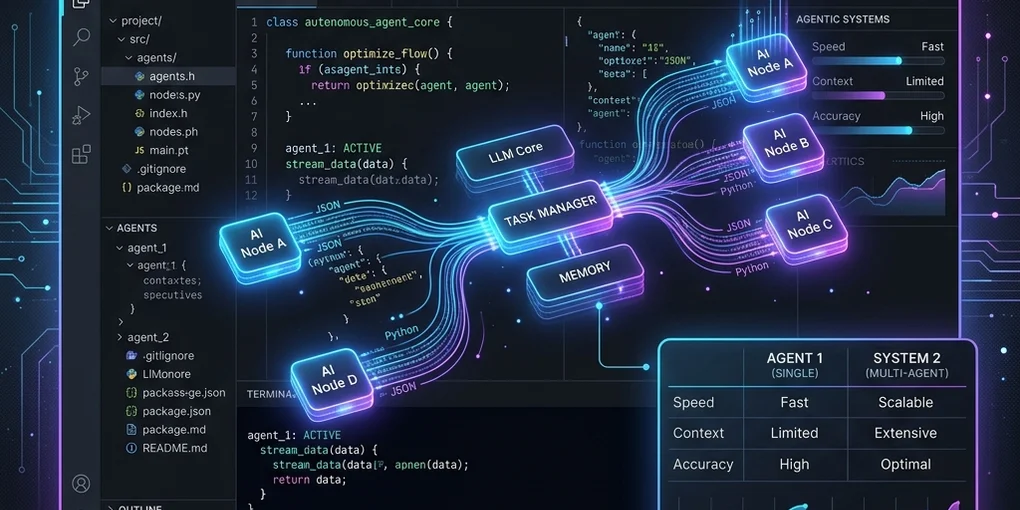
If you’ve been coding in 2026, you’ve probably noticed that the landscape of AI-assisted development has undergone a massive shift. We are no longer just talking about tab-completions or simple chatbot sidebars. We have officially entered the era of agentic workflows—where AI acts as an autonomous developer, orchestrating multi-step execution loops across our code, terminals, and browsers.
Three major players dominate the conversation today: Google Antigravity IDE, Cursor, and Anthropic’s Claude Code.
Having spent significant time with all three, I wanted to break down how they compare, where they excel, and how they represent fundamentally different visions of the future of programming.
The Competitors at a Glance
Before we dive deep, let’s establish what these tools actually are, because they target very different form factors.
| Feature / Aspect | Google Antigravity IDE | Cursor | Claude Code |
|---|---|---|---|
| Form Factor | Full Desktop IDE & CLI & SDK | VS Code Fork (Editor) | CLI Tool (Terminal-based) |
| Primary Philosophy | Agent-First Orchestration | AI-Augmented Editing | High-Speed Terminal Agent |
| Underlying Model | Gemini (3.5 Pro/Flash) | Mixed (Claude 3.5 Sonnet, GPT-4o) | Claude 3.5 Sonnet |
| Key Strength | Multi-agent parallelization & background runs | Seamless inline edit & autocomplete | Fast, text-centric terminal loops |
| Safety Model | Sandboxed execution & granular permissions | Local file access (Unsandboxed) | Local shell execution |
1. Google Antigravity IDE: The Agent-First Mission Control
DeepMind’s Antigravity IDE represents a paradigm shift. Instead of treating the AI as an assistant inside your editor, Antigravity treats the AI as a developer capable of spawning and managing its own sub-agents.
The Dual-Surface Paradigm
Antigravity operates with a unique dual-surface interface:
- The Editor View: A highly responsive editor space for manual coding, autocomplete, and quick refactoring.
- The Manager Surface (Mission Control): A dashboard where you can define, launch, and monitor autonomous agents running in the background.
For example, you can spawn a research agent to study API docs, a tester agent to run test suites in a looped sandbox, and a coder agent to implement the logic. They run concurrently, communicating via structured messaging and writing to a shared git worktree.
Verifiable Artifacts
One of Antigravity’s best features is Verifiable Artifacts. Rather than forcing you to read lines of raw terminal logs or chat transcripts, Antigravity agents generate structured Markdown files:
implementation_plan.md: A design proposal detailing changes before they start.task.md: A live TODO checklist tracking agent progress.walkthrough.md: A summary of completed work, test runs, and interactive browser verification recordings.
This gives developers unparalleled visibility into the agent’s reasoning process and makes code reviews incredibly clean.
2. Cursor: The King of Developer Flow
Cursor remains the gold standard for developers who want a traditional editor feel but with heavily supercharged AI capabilities. Because it is a fork of VS Code, it inherits the entire ecosystem of extensions, settings, and themes.
The Autocomplete & Composer Advantage
Cursor’s killer features are Tab-completions (which predict multi-line edits as you type) and Composer (Cmd+I). Composer lets you prompt the editor to edit multiple files concurrently while showing you inline diffs that you can approve or reject file by file.
Unlike Antigravity, which is designed to go off and run end-to-end background missions (compiling, running tests, fixing errors automatically), Cursor is highly synchronous. You are sitting at the wheel, steering the AI page by page. It feels less like a delegator-manager relationship and more like an intense, highly efficient pair programming session.
3. Claude Code: High-Velocity CLI
Anthropic’s Claude Code takes a completely different path. It is a terminal-based CLI tool that brings the power of Claude 3.5 Sonnet directly into your shell.
Terminal Agility
Claude Code is built for speed and minimalism. You type a command, and Claude instantly starts reading files, running terminal commands, executing git operations, and presenting diffs in a retro terminal-styled interface.
It is brilliant for:
- Fast bug-fixing or scripting.
- Editing files without launching a heavy GUI.
- Direct command-line automation.
However, because it is bound to the terminal, it lacks a rich visual environment. You can’t easily monitor parallel agents working on different branches, view rich interactive artifacts, or see a live visual preview of a web app interface.
Feature Comparison: Where the Differences Lie
A. Autonomy and Delegation
- Antigravity: Excellent. You can close the IDE or switch tasks, and your background agents will continue executing their plans, running tests, and managing their task lists. You can configure permission rules to allow agents to execute safe commands automatically while prompting you for sensitive operations.
- Cursor: Moderate. While Composer can write to multiple files, it does not run independent agentic loops (like writing a test, running it, reading the error, and iterating) in the background while you do something else.
- Claude Code: Good, but linear. Claude Code executes tools sequentially in your terminal, requiring you to monitor its progress in real-time.
B. Reasoning & Context Windows
Powered by Google’s latest Gemini models, Antigravity benefits from a massive context window (up to millions of tokens). This allows it to ingest entire repositories, extensive documentation, and complex build logs without losing track of details or suffering from RAG retrieval errors. Cursor and Claude Code, while highly intelligent using Claude models, rely more heavily on file-chunk retrieval (RAG) which can sometimes miss cross-file dependencies in large codebases.
C. Developer Safety
Running autonomous AI tools locally can be nerve-wracking.
- Antigravity runs terminal commands in a sandboxed shell and implements an explicit permission system (
ask_permission). If an agent wants to read a file outside the workspace, fetch a URL, or run a non-whitelisted command, it must prompt you. - Claude Code runs directly on your machine. While it prompts for write operations and command execution, it lacks a sandboxed layer.
- Cursor modifies files directly in your working directory and relies on standard IDE write permissions.
The Verdict: Which One Should You Use?
The choice between these three comes down to your preferred workflow:
- Choose Cursor if: You love VS Code, want to remain actively engaged in writing code, and need the absolute best-in-class inline autocomplete and interactive multi-file editing.
- Choose Claude Code if: You are a terminal power-user who wants a fast, keyboard-first CLI assistant to perform quick updates, git commits, and shell tasks on the fly.
- Choose Google Antigravity IDE if: You want to elevate yourself to an engineering manager. If you want to delegate complex, time-consuming tasks (like upgrading a framework, writing extensive test suites, or building entire features from scratch) to autonomous agents running safely in the background while you focus on high-level architecture.
Personally, I see a hybrid future. I use Claude Code for quick terminal tweaks, Cursor when I want to write code side-by-side with an LLM, and Antigravity when I need to kick off a complex migration or feature build that I want completed and verified overnight.
The era of AI coding has evolved. How are you adapting your workflow?