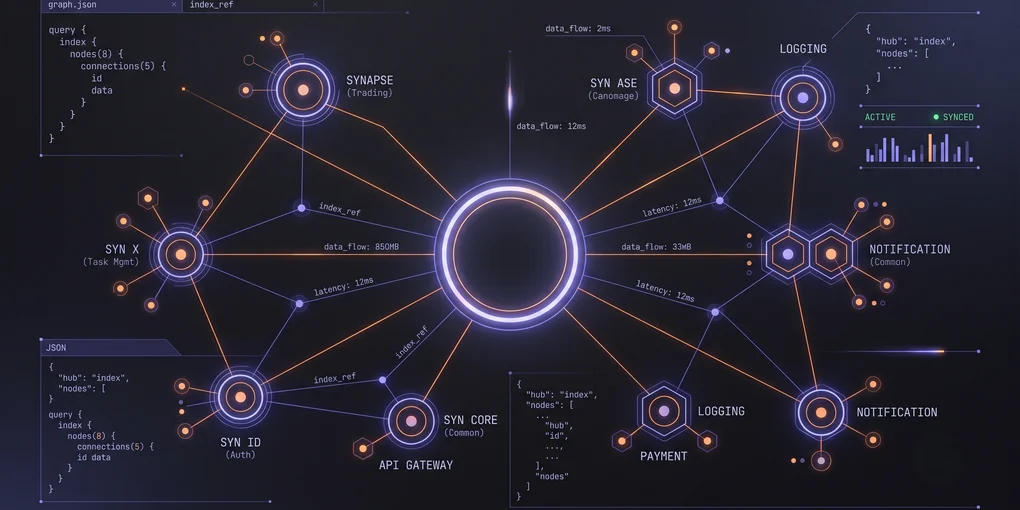
Scaling AI Context Across 8 Web Apps: How I Use Graphify to Feed Claude and Cursor
If you are anything like me, your daily development workflow is no longer just you and a compiler. It is an active collaboration between you, Cursor, and Claude.
But as your project portfolio grows, maintaining this workflow becomes incredibly difficult. Currently, I manage a suite of 8 distinct web applications within the sYnVerse ecosystem. This includes sYnapse (a modern, unified agentic trading gateway designed to run on edge infrastructure and orchestrate low-latency algorithmic trading) and sYnX (a fast, collaborative task management application built as a serverless Remix app utilizing Cloudflare D1 database persistence).
When you are bouncing between multiple active codebases, a massive bottleneck emerges: AI context management.
In this post, I will share how naive context-loading breaks down at scale, how I use Graphify to construct a unified codebase map, and how this setup provides Claude and Cursor with surgical, high-density context without draining my API token budget.
The Token Bottleneck: Why Naive Folder-Shoving Fails
When developers first start using tools like Cursor or the Claude Code CLI, the instinct is to feed the LLM as much raw codebase as possible. In Cursor, you might find yourself typing @src or adding entire directories to the chat window.
While this “folder-shoving” approach works for a single-page app, it falls apart completely when managing a complex multi-app ecosystem. Here is why:
1. The “Lost in the Middle” Phenomenon
LLMs have massive context windows (up to 200k tokens or more), but their attention span is not uniform. Research shows that models struggle to recall information buried in the middle of a massive context prompt. If you dump 50 files into Claude just to explain a simple bug in sYnapse, the model is highly likely to hallucinate, miss subtle type definitions, or ignore crucial system configurations.
2. High Latency and Token Exhaustion
Every token you send to an LLM costs money and time. If you pass 80,000 tokens of redundant context with every single prompt:
- Your API bills will skyrocket.
- You will hit rate limits within minutes.
- LLM response times will slow down from snappy 5-second answers to painful 45-second crawls.
3. Cross-Repository Blindspots
In a multi-app architecture, apps rarely live in absolute isolation. In our ecosystem, both sYnapse (which coordinates trades on equity and futures markets) and sYnX (which organizes personal and professional tasks) rely on sYnID—our centralized authentication provider and single sign-on (SSO) gateway.
If you only load the sYnapse directory into your workspace, Cursor remains completely blind to the underlying authentication contracts and SSO session types defined in sYnID. Conversely, loading all directories at once creates a massive, expensive wall of noise.
Enter Graphify: High-Density, Low-Bloat Context Mapping
To solve this, I built Graphify into my development pipeline. Graphify is an internal utility designed to scan our codebases, construct a semantic dependency graph of our entire application suite, and export a highly compressed, structured index of how our code fits together.
Instead of passing raw code forward, Graphify parses our repositories to map out:
- Imports and Exports: Which files depend on which modules.
- Component Hierarchies: How UI components nest across applications.
- API Routing & Data Schemas: The shared types and SSO auth contracts between services like
sYnID,sYnapse, andsYnX. - State Trees: Where global state is declared, initialized, and modified.
                     [ sYnID (SSO Gateway) ]
                                │
                  (Shared Auth Schemas & Types)
                                │
                                ▼
           [ Graphify Dependency & Reference Indexer ]
                                │
                  (Surgically Filtered Context)
                                │
                                ▼
                   [ Cursor / Claude Code CLI ]
How Graphify Represents Code
Rather than outputting thousands of lines of boilerplate code, Graphify generates a lightweight markdown file (GRAPH_REPORT.md) containing a high-level structural map and selective code snippets.
Here is a conceptual look at how Graphify serializes context for a shared module:
# Graphify Context: sYnapse -> sYnID Integration
## Graph Path: /apps/synapse/src/middleware/auth.ts

### Dependents:
- /apps/synapse/src/routes/trading.ts (Imports: validateSession)
- /apps/synX/src/routes/tasks.ts (Imports: validateSession)

### External References (sYnID):
- /packages/synid-core/src/session.ts -> SSO Token Validation

### Minimal Type Definition:
```typescript
export interface SSOSession {
  userId: string;
  roles: ('trader' | 'manager' | 'admin')[];
  ssoToken: string;
  expiresAt: number;
}
export declare function validateSession(token: string): Promise<SSOSession>;
By stripping out runtime execution logic, HTML boilerplate, and CSS styles, Graphify shrinks our context payload by up to 85% while retaining 100% of the structural meaning.
Developer Workflow: Real-World Implementation
Let’s look at how this plays out in my day-to-day development loop using Cursor and Claude Code.
Scenario: Updating Shared SSO Session Validation
Imagine I need to update the single sign-on session schema in sYnID to support new granular role-based permissions, and ensure both the trading gateway inside sYnapse and the task manager inside sYnX handle this update gracefully without breaking auth validation.
Here is how I use Graphify to handle this transition surgically:
Step 1: Generate the Sub-Graph
Instead of opening multiple directories and hoping Cursor figures out the connection, I run the Graphify CLI tool directly in my monorepo terminal:
graphify query "sYnID SSO session update propagation to sYnapse and sYnX" --output .context/sso-update.mdGraphify runs its AST parser, identifies the exact session type definitions in sYnID, traces where those session types are imported across the sYnapse and sYnX codebases, and writes a highly optimized, structural reference file to .context/sso-update.md.
Step 2: Feed the Context Surgically to Cursor
With Cursor open, I can now reference this exact, pre-filtered context file.
Using the @ symbol, I point Cursor directly to our generated graph map:
My Prompt to Cursor: “Using the structural map in
@sso-update.md, update the session validation middleware insYnapseto support the newrolesfield introduced bysYnID. Make sure the UI state and API routes gracefully handle missing permissions.”
Because Cursor doesn’t have to digest thousands of lines of irrelevant trading telemetry logic, CSS, or layout files, it reads the input almost instantly. The output is incredibly precise, correctly modifying the type declarations and the React hooks with zero hallucinations.
Step 3: Deep Refactoring with Claude Code CLI
For deeper refactoring tasks—like implementing role-based access control checking in both sYnapse and sYnX simultaneously—I transition to the Claude Code CLI.
I execute the tool in my terminal, appending the Graphify context right to the start of my agent session:
claude "Review the architecture mapped in .context/sso-update.md and implement role-based access control checking in both sYnapse and sYnX. Ensure sYnapse routes throw a 403 if the user lacks the 'trader' role."Claude reads the exact structural relationships, understands how sYnID communicates with sYnapse and sYnX, and executes the refactor across both codebases flawlessly.
Going Autonomous: The Graphify MCP Server
While manually exporting sub-graphs via the CLI is great for targeted tasks, the real magic happens when you let the AI agent navigate the codebase map autonomously.
To enable this, I built a Model Context Protocol (MCP) server directly into Graphify. MCP is an open-source standard developed by Anthropic that allows AI assistants (like Claude Desktop, Cursor, or Claude Code CLI) to securely query external data sources using structured tools.
Instead of you generating markdown context files, the AI agent can query the Graphify index dynamically as it reasons about your prompt.
  [ AI Agent (Claude/Cursor) ] ◄─── (Dynamic Subgraph Context) ───┐
               │                                                  │
         (Structured Tool Call)                                   │
               │                                                  │
               ▼                                                  │
     [ Graphify MCP Server ] ────── (Reads Graph) ──────► [ graph.json Index ]
Tools Exposed by the Server
Once connected, the Graphify MCP server equips the AI agent with a specialized toolkit:
query_graph: Performs a traversal of the graph to retrieve context for a specific concept or natural language query.shortest_path: Traces the dependency path between two components (e.g., finding howsYnapsedepends onsYnID).get_node&get_neighbors: Fetches details about a specific code symbol, file, or its immediate dependents.get_community: Focuses on a clustered module or conceptual bucket identified during semantic grouping.god_nodes&graph_stats: Provides architectural overviews and central hubs in the system.
Setting Up the Graphify MCP Server
To let your AI agent query the graph directly, you can run the server over standard input/output (stdio) and configure it in your favorite IDE or chat agent.
Step 1: Start/Locate the Python Interpreter
First, you’ll need the path to the Python environment where Graphify is installed. If you ran Graphify via a tool installer (like uv or pipx), you can output the active python path:
cat graphify-out/.graphify_python(Copy the absolute path returned, e.g., C:\Users\chris\AppData\Local\pipx\venvs\graphifyy\Scripts\python.exe on Windows).
Step 2: Configure Your AI Agent
A. Claude Desktop
Add the server config to your Claude Desktop configuration file (located at %APPDATA%\Claude\claude_desktop_config.json on Windows or ~/Library/Application Support/Claude/claude_desktop_config.json on macOS):
{
  "mcpServers": {
    "graphify": {
      "command": "C:/Users/chris/AppData/Local/pipx/venvs/graphifyy/Scripts/python.exe",
      "args": [
        "-m",
        "graphify.serve",
        "C:/Users/chris/Documents/GitHub/christran.io/graphify-out/graph.json"
      ]
    }
  }
}
(Make sure to use forward slashes / in paths even on Windows, and replace the paths with your actual python path and absolute path to your project’s graph.json).
B. Cursor IDE
You can add Graphify as a custom command-based MCP server in Cursor:
- Go to Settings -> Features -> MCP.
- Click + Add New MCP Server.
- Configure the settings:
- Name:
graphify - Type:
command - Command:
<absolute-path-to-python> -m graphify.serve <absolute-path-to-graph.json>(e.g.C:/Users/chris/.../python.exe -m graphify.serve C:/Users/chris/.../graphify-out/graph.json)
- Name:
- Click Save.
Now, when you ask Cursor or Claude questions in chat, they will notice the graphify tool group and autonomously call shortest_path or query_graph to retrieve precise type definitions and dependencies on their own!
The Results: Faster, Cheaper, Smarter
Implementing Graphify as a context broker between my codebases and our AI agents has completely transformed my development velocity across all 8 web applications.
| Metric | Naive Folder-Shoving | With Graphify Context |
|---|---|---|
| Average Prompt Context Size | ~65,000 tokens | ~4,500 tokens |
| API Costs | High ($$$) | Extremely Low ($) |
| Code Generation Accuracy | ~60% (Frequent hallucinations) | ~95% (Highly precise) |
| Response Time | 20 - 45 seconds | 3 - 6 seconds |
Wrapping Up
As AI models become more integrated into our development flows, context management is the new software architecture. Dump too much code on your AI, and it gets sluggish, expensive, and confused. Deliver hyper-focused, structurally mapped context, and the AI behaves like a world-class senior developer who knows your codebase inside out.
By leveraging Graphify to index dependencies across sYnapse, sYnX, sYnID, and the rest of my web apps, I’ve managed to scale my personal productivity to heights that would have been impossible just a couple of years ago.